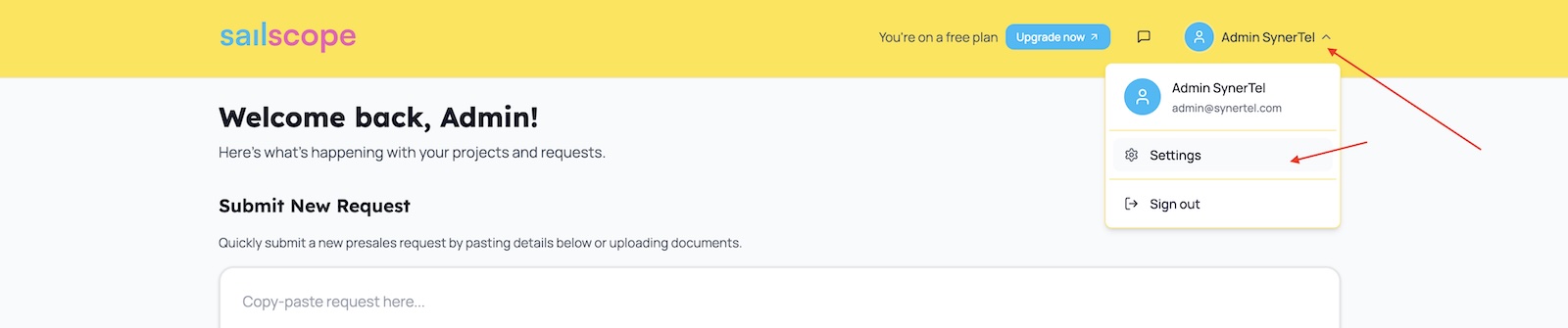
To manage your user preferences - open menu under your User Name in the main header and click Settings
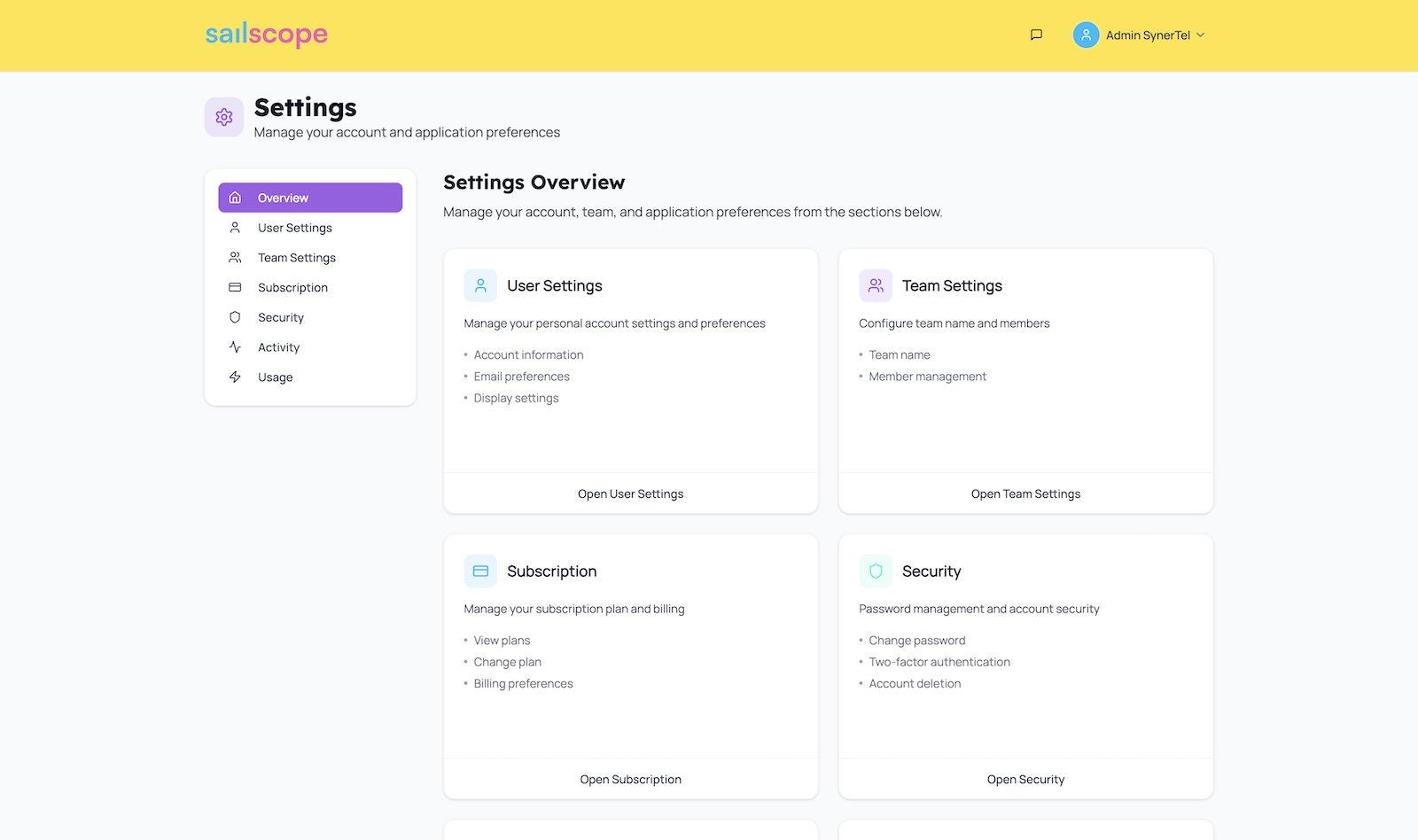
There are following tabs available in the User Settings:
User Settings
Allows to update User properties: Name / Email
Team Settings
Allows to manage Team settings as well as invite and manage Team members
Subscription
Allows to manage subscription. More details in Usage & Billing article
Security
Allows to change password
Activity
Displays activity / audit log
Usage
Allows to monitor AI-services usage. More details in Usage & Billing article